The notification to update the standard Professional Schema and the EQuIS application, "SCHEMA UPDATE NEEDED (see st_log)", is shown below.

The notification "EQuIS APPLICATION UPDATE NEEDED (see st_log)" will also appear if the Schema is newer and the user is connected to an older EQuIS build or version (e.g., connecting to a Build 7.26.1 database with EQuIS Professional Build 7.24.2).
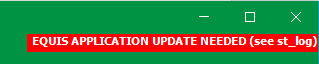
Users can configure the conditions that will trigger the display of these warning messages. The EQuIS Schema includes two records added to the ST_CONFIG table.
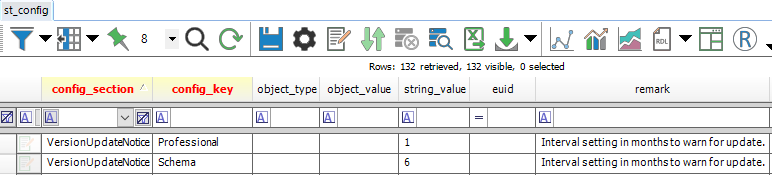
Defaults are added to the ST_CONFIG table in the Schema.
CONFIG_SECTION: VersionUpdateNotice CONFIG_KEY: Professional STRING_VALUE: 1
CONFIG_SECTION: VersionUpdateNotice CONFIG_KEY: Schema STRING_VALUE: 6 |
The STRING_VALUE is the interval value in months. This interval represents the acceptable difference in build/version dates between EQuIS Professional and the EQuIS Schema. An admin can modify that value to give the notice to the user that either the Schema or the application needs to be updated, based on update or release schedules.
In addition to the user notification, a record is created in the ST_LOG table that will give details on the builds/versions and what update is needed.
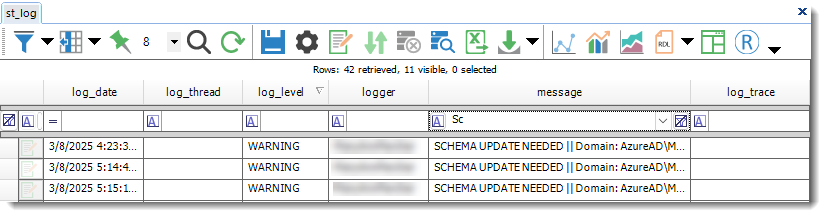
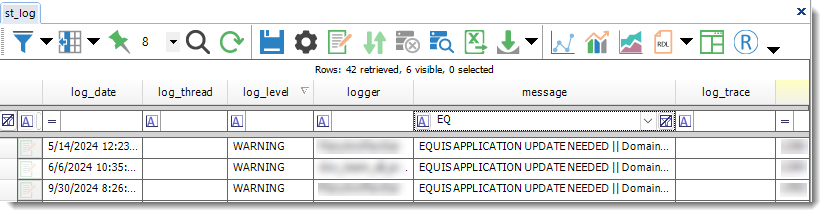
The date with the Schema version listed comes from the most recent date in ST_VERSION.VER_DATE. The date listed for the EQuIS version is what is displayed in the About tab of the EQuIS Professional backstage.