The Share EQuIS Data functionality allows users to create a URL with a token to share EQuIS linked layers (facility, report) generated from ArcEQuIS. The EQuIS data layers can be shared as GeoJSON (compatible with ArcGIS Online) or Feature Service (compatible with ArcGIS Pro). ArcEQuIS users have the ability to set the token expiration date.
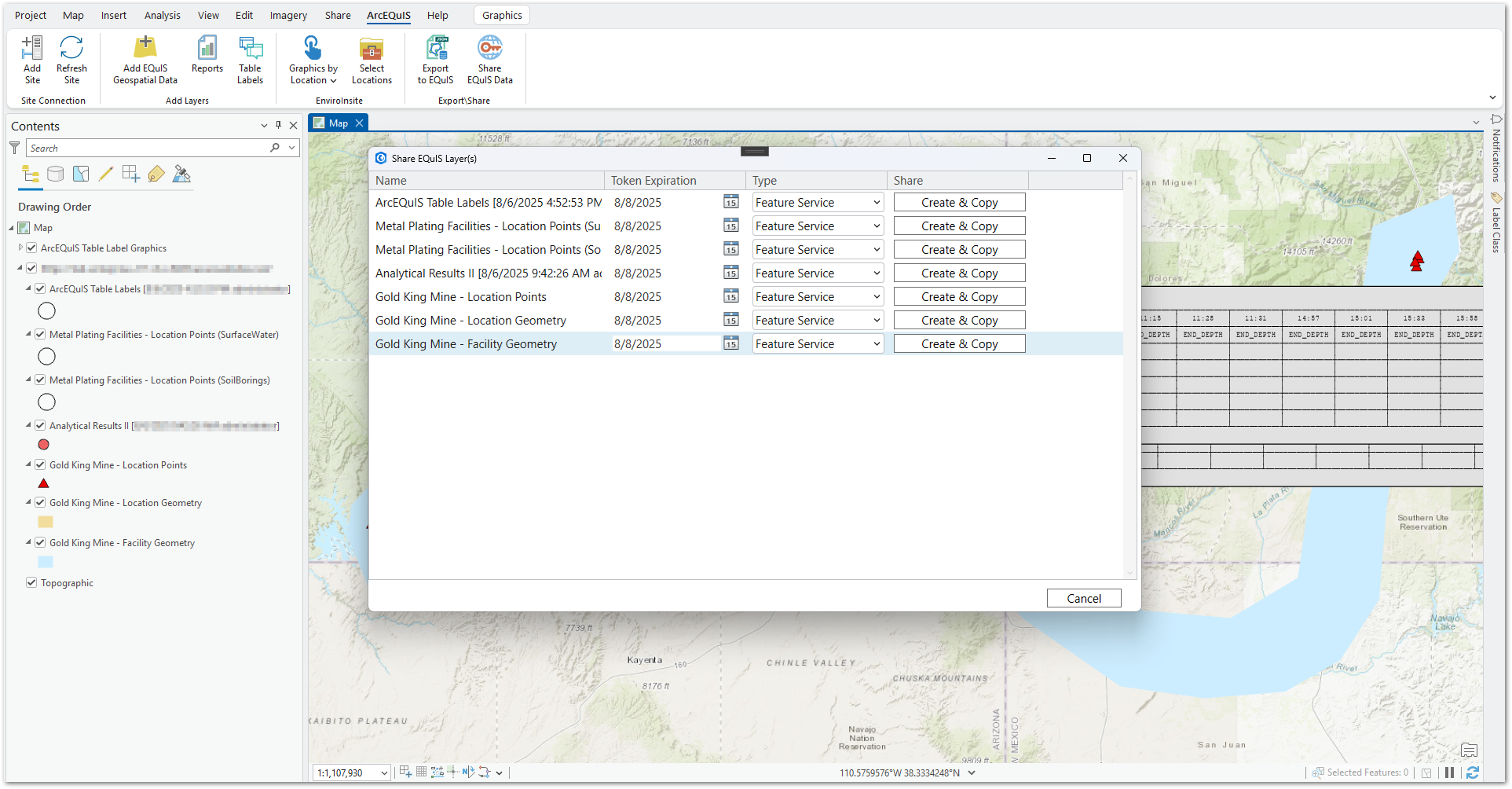
Share EQuIS layers from ArcEQuIS by following these steps:
1.Click the Share EQuIS Data button in the Export/Share group on the ArcEQuIS ribbon. The Share EQuIS Layer(s) window opens with a list of feature layers available in the current ArcGIS Pro project.
2.Find the layer to be shared. The layer list is filterable by the layer name.
3.Use the Type drop-down menu to select Feature Service or GeoJSON.
4.Set a Token Expiration date for the layer to be shared. The expiration date for a token will default to two weeks from the current date.
5.Select the Create & Copy button for the layer to be shared. A URL with a token is saved to the user's Windows clipboard. A new URL is generated each time the button is clicked.
6.Provide the created URL token to desired recipients.
Note: When adding the shared layer in ArcGIS Online, the layer name will not convey and will be denoted as a GeoJSON layer. |
|---|